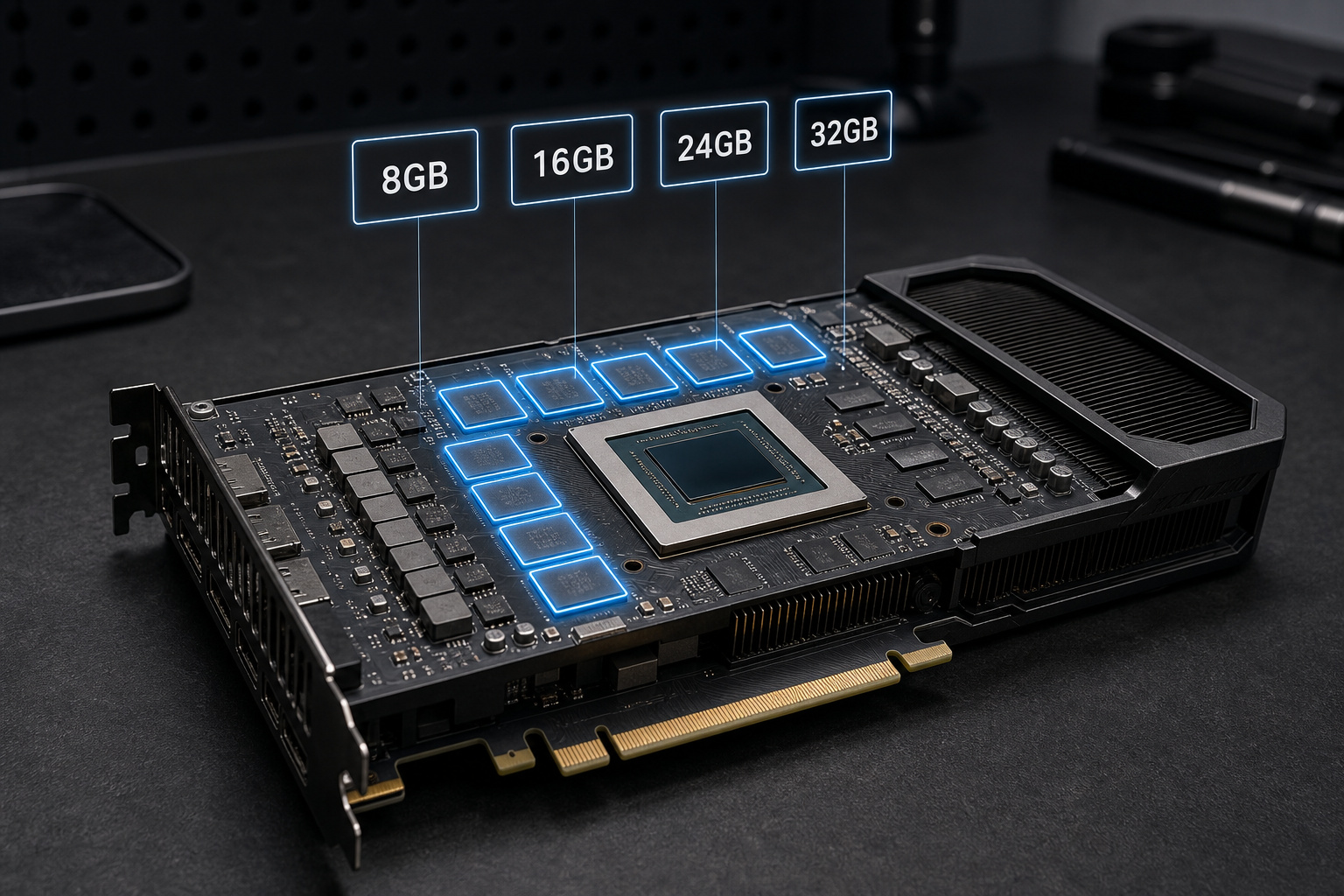
How much VRAM you need in 2026 comes down to what you do, not the year on the calendar. There's no single "2026 number." Figure out your actual workload first (gaming at your resolution, running local AI, or editing video and rendering 3D) then read the number off that track. All three scale on different axes, and buying for the wrong one burns cash.
For a new gaming build meant to last several years, 16GB is the safe all-around baseline. It handles high-quality 1440p, most 4K, and light AI or creative work with room to spare. Jump to 24GB or more only if you run local language models, GPU rendering, or high-res video. Don't buy a new 8GB card unless you're strictly on a budget playing 1080p or esports.
And let's bury the future-proofing myth right now: capacity means nothing if the chip behind it is too slow. 32GB bolted to a weak GPU is 32GB you can't touch. VRAM and compute are separate specs: one never covers for the other.
What VRAM Actually Does
VRAM (video RAM) is the dedicated memory on your graphics card that holds everything the GPU needs right now: textures, frame buffers, geometry, ray-tracing structures, and, for AI, model weights. Run out and the system spills the overflow into slower system RAM. That kills performance: texture pop-in and stutter in games, and a crash from tens of tokens per second down to a crawl in AI. Capacity decides what fits; compute decides how fast the GPU chews through what fits. You need both, and neither fills in for the other.
VRAM by Use Case at a Glance
Here's the master lookup. Find your workload and read the number: "recommended" means it runs well and lasts, not the bare minimum to boot.
| Use Case | Minimum | Recommended | Ideal / Heavy Use |
|---|---|---|---|
| Esports / 1080p gaming | 8GB | 12GB | 16GB |
| 1440p gaming (high–ultra) | 12GB | 16GB | 20–24GB |
| 4K gaming (ultra) | 16GB | 24GB | 24–32GB |
| Local LLMs (7B–14B) | 8GB | 12–16GB | 24GB |
| Local LLMs (30B–70B) | 20GB | 24–48GB | 48–96GB+ |
| AI image / video generation | 12GB | 16GB | 24GB+ |
| 4K video editing | 8GB | 16GB | 24GB |
| 6K/8K video & VFX | 16GB | 24GB | 32GB+ |
| 3D rendering / Unreal Engine | 16GB | 24GB | 32GB+ |
These are purchasing recommendations, not software minimums. Most apps start on far less: a game will happily load textures it can't hold and stutter through them. "Recommended" here means it runs clean and stays useful for a few years.
Gaming VRAM by Resolution
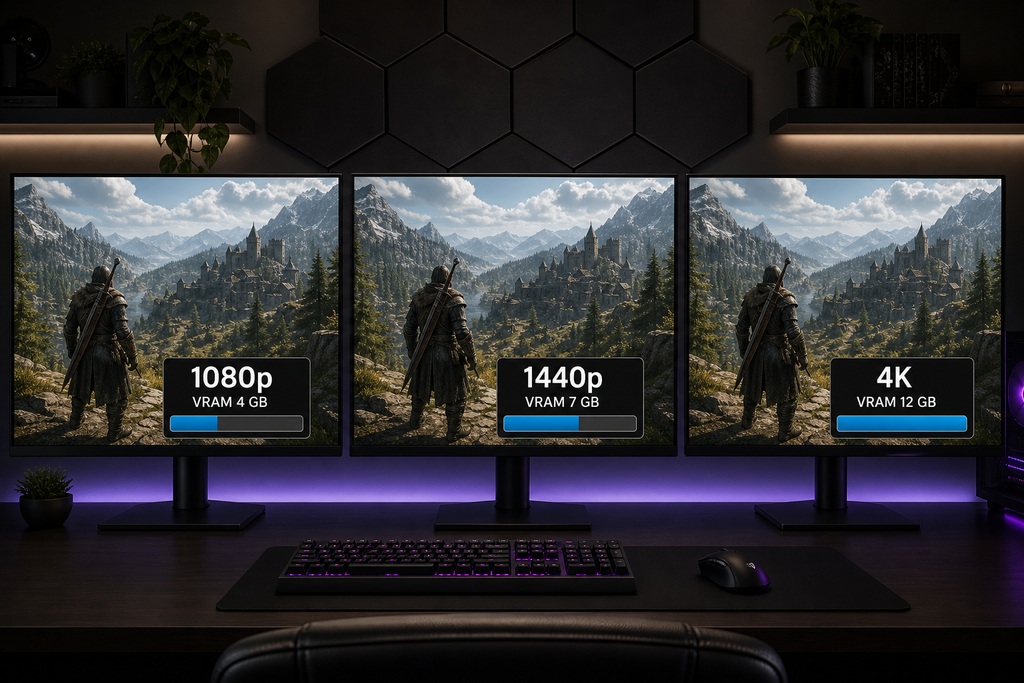
For gaming, VRAM tracks two things and nothing else: your resolution and how hard you push ray tracing. 8GB still clears esports and 1080p at high textures; 16GB covers 1440p and most 4K; 24GB is the ceiling games actually reach at 4K with path tracing.
| Resolution & Setting | Minimum | Recommended | Ideal |
|---|---|---|---|
| Esports / competitive 1080p | 6GB | 8GB | 12GB |
| 1080p high–ultra | 8GB | 12GB | 16GB |
| 1440p high–ultra | 12GB | 16GB | 20–24GB |
| 4K ultra | 16GB | 24GB | 24–32GB |
| 4K + path tracing | 16GB | 24GB | 32GB |
Notice the ceiling: even 4K with maxed textures and full path tracing lands around 24GB. That's why 32GB adds nothing for a pure gaming rig: the games never ask for it.
Why Gaming VRAM Keeps Climbing
Gaming VRAM keeps rising because modern rendering adds memory costs the old benchmarks never charged for. Ray tracing and path tracing store acceleration structures and denoiser buffers on top of the frame itself. Frame generation (DLSS 4, FSR) holds extra frame buffers in memory to interpolate. Unreal Engine 5's Nanite geometry and Lumen lighting, paired with 4K and 8K texture packs, blow footprints well past what the same scene cost a generation ago.
Consoles set the floor. The PS5 and Xbox Series X share roughly 12–13GB of usable memory for graphics, and PC ports routinely top console usage because they ship higher texture tiers. Titles like Alan Wake 2, Cyberpunk 2077 with path tracing, The Last of Us Part I, and the Resident Evil 4 remake already blew past 8–12GB at 4K max: and those are 2023–2024 games, not the heaviest 2026 releases.
One practical tip that saves more money than any card upgrade: when you're VRAM-limited, drop texture quality one notch before you drop resolution. Textures eat the most memory, and stepping from Ultra to High textures frees more VRAM than dropping 4K to 1440p: usually with less visible loss.
Local AI: Capacity Is Everything
For local AI, VRAM is the one spec that decides whether a model runs at all. The whole model has to fit in memory. When it doesn't, software offloads layers to system RAM and speed collapses: a chatty 8B model that hums along on-card slows to a stutter when half of it lives in DDR5.

AI demand ignores resolution completely. A 4K monitor changes nothing for a language model. What drives memory is parameter count, quantization (4-bit, 8-bit, or full FP16), and the context window plus its KV cache. The working estimate:
VRAM ≈ parameters (in billions) × bytes per parameter, plus 10–30% overhead for context and KV cache.
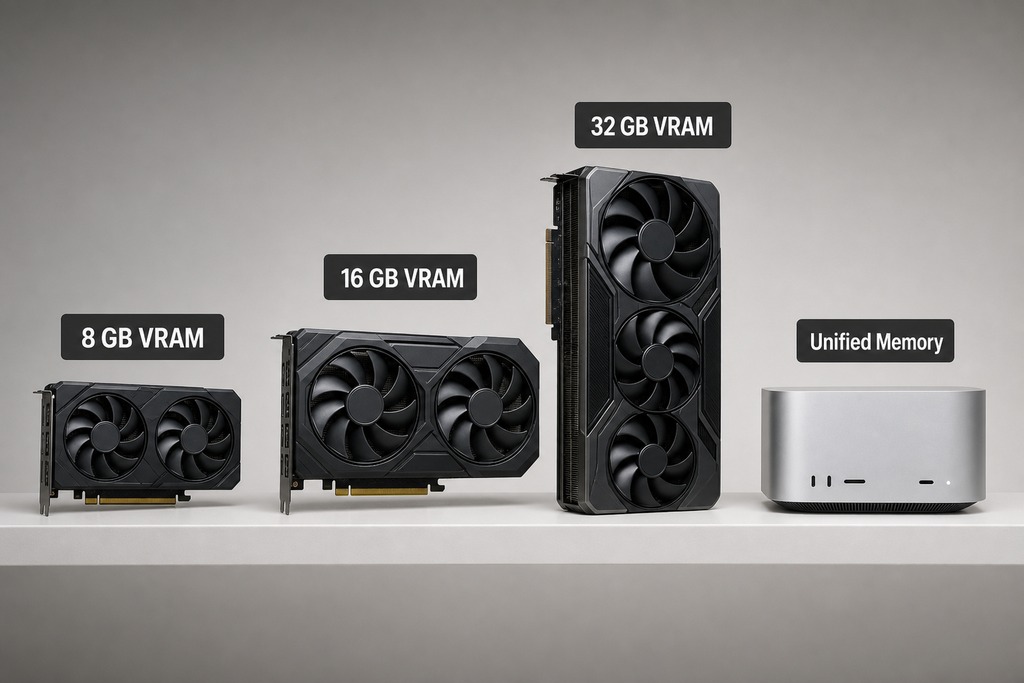
Platform matters too, and not just capacity. NVIDIA has the broadest CUDA software support, so most tools run there first. AMD often gives you more memory per dollar, but check your exact app works with ROCm before you buy. Apple's unified memory is a different animal: the GPU pools 64–128GB of shared system RAM, which makes a Mac surprisingly competitive for local inference despite having no CUDA cores at all. Don't compare those GB figures one-to-one against a gaming card; the architecture isn't the same.
VRAM by Model Size
A model's weights alone need roughly its parameter count times the bytes per weight: 4-bit is about half a byte each, 8-bit about one byte, FP16 about two. Context and overhead stack on top, so real usage always runs higher than the raw weights below.
| Model Size | 4-bit | 8-bit | FP16 |
|---|---|---|---|
| 8 billion | 4GB | 8GB | 16GB |
| 14 billion | 7GB | 14GB | 28GB |
| 32 billion | 16GB | 32GB | 64GB |
| 70 billion | 35GB | 70GB | 140GB |
Translated into what to buy:
- 8GB: small quantized LLMs (7B–8B at 4-bit) and constrained image workflows
- 12–16GB: comfortable 7B–14B models plus mainstream image generation: Stable Diffusion SDXL and Flux sit at 12–16GB
- 24GB: the enthusiast sweet spot: quantized 30B-class models with room for a decent context window
- 48GB+: serious 70B-class inference, LoRA fine-tuning, and local video generation, which runs 24–48GB and up
The hard edge: a single 24GB consumer card can't run a 70B model at usable precision: the math above shows why. That needs dual GPUs, a workstation card, or Apple unified memory. No amount of "future-proofing" on one gaming card gets you there.
Content Creation and Pro Work
Creative VRAM scales with footage resolution and effect load. 16GB handles 4K editing and standard 3D; 24GB and up is for 6K/8K, heavy VFX, and dense scenes with 8K textures.
| Task | Minimum | Recommended | Heavy / Pro |
|---|---|---|---|
| 4K video editing (Premiere, DaVinci Resolve) | 8GB | 16GB | 24GB |
| 6K/8K video & VFX | 16GB | 24GB | 32GB+ |
| 3D rendering (Blender, Maya, Unreal Engine) | 16GB | 24GB | 32GB+ |
| CAD / simulation | 16GB | 24GB | 32GB+ |
The official baselines sit far below the buying targets, and that gap is the point. Adobe lists 4GB as Premiere Pro's minimum GPU memory and 8GB as recommended. Epic recommends 8GB or more for Unreal Engine on Windows, with 16GB more comfortable and ray-traced scenes eating substantially more for geometry acceleration. Those are floors to launch the software: not what keeps a 4K timeline scrubbing smoothly or an Unreal scene from swapping assets under load. For video editing, 16GB is the comfortable working number; noise reduction, Fusion compositions, and AI-assisted effects are what push you toward 24GB.
What 2026 Cards Actually Give You
Here's where the numbers land on real hardware. Entry cards still ship 8GB, the mainstream sits at 12–16GB, and only the flagship and workstation tiers cross 24GB.
| Tier | Example Hardware | VRAM |
|---|---|---|
| Budget / entry | RTX 5060, RX 9060 | 8GB |
| Mid-range | RTX 5070, RX 9060 XT (16GB) | 12–16GB |
| Upper-mainstream | RTX 5070 Ti, RTX 5080, RX 9070 / 9070 XT | 16GB |
| Flagship | RTX 5090 | 32GB GDDR7 |
| Workstation / prosumer | Pro-tier accelerators | 32–48GB |
| Data-center / AI | HBM accelerators | 80–192GB |
| Apple unified memory | M-series Max / Ultra Macs | 64–128GB |
NVIDIA's GeForce spec sheet lists the RTX 5060 at 8GB, the RTX 5070 at 12GB, the 5070 Ti and 5080 at 16GB, and the RTX 5090 at 32GB. AMD's Radeon lineup runs from 8GB up through 16GB on the RX 9070 series. The awkward truth for buyers: there's almost nothing between 16GB mainstream and 32GB flagship in the consumer stack: no 20GB or 24GB gaming card. If you need more than 16GB but less than the 5090's price, your realistic options are AMD's higher-capacity models, a used prior-generation 24GB card, or Apple unified memory when the workload is AI specifically.
Who Should Skip the Big-VRAM Cards
Most people. If you only game, even at 4K, 24GB is the practical ceiling and 16GB covers you comfortably. 32GB is capacity games never reach, so on a pure gaming rig it's money spent on a spec sheet, not on frames.
Skip the 24GB+ cards if you are:
- Playing esports or 1080p: 8GB is genuinely fine at high textures (just not maxed ray tracing)
- Gaming at 1440p or most 4K: 16GB is the answer, full stop
- "Future-proofing" by pairing huge VRAM with a slow chip: capacity you can't feed is wasted
- Hoping one 24GB card will run a 70B model: it won't, at any usable precision
Pay up only if you run local AI beyond 14B, GPU rendering, 6K/8K video, or LoRA/fine-tuning. That's where 24–48GB earns its price.
The Verdict by User Type
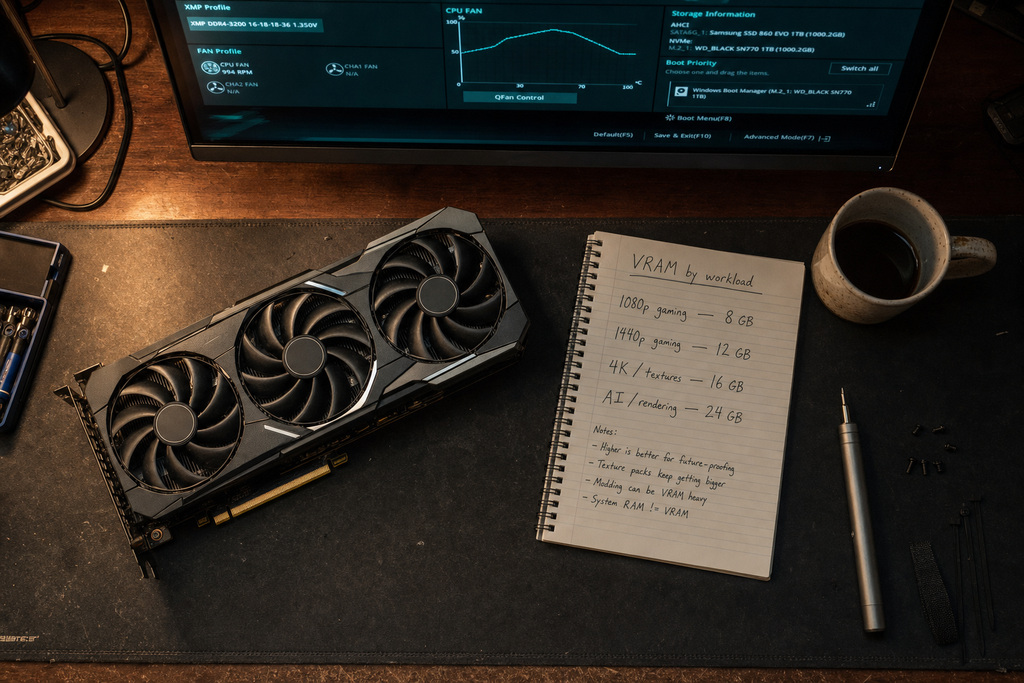
- Pure gamer, 1080p or esports: 8GB is enough — save the difference for a faster chip.
- Mainstream gamer, 1440p and most 4K: 16GB, no debate.
- 4K max with path tracing: 24GB is the real ceiling games hit; 32GB is surplus.
- Local AI hobbyist (up to 14B plus image gen): 16GB comfortable, 24GB roomy.
- Serious local AI (30B–70B), 3D, or 6K/8K video: 24–48GB; dual GPUs, a workstation card, or Apple unified memory for 70B-class models.
FAQ
How much VRAM is good in 2026?
16GB is the good general target for a 2026 build. It handles high-quality 1440p, most 4K, ray tracing, and light AI or creative work with room to last several years. Only go past it if you specifically run local AI models, 3D rendering, or high-resolution video.
Is 12GB VRAM enough for next 5 years?
12GB is a sensible minimum for 1080p and 1440p today, but it's a marginal five-year bet. It already forces texture compromises in maxed 4K and heavily modded games, and that pressure only grows. It's fine if the GPU is fast and you're not chasing max settings — just not a confident longevity pick at high settings.
Is 32GB VRAM overkill for 4K?
Yes, for gaming. Even 4K with maxed textures and full path tracing tops out around 24GB, so 32GB is capacity games never reach. It's only worth it if you also run large local AI models, GPU rendering, or 6K/8K video, where the extra memory does real work.
Is 64GB of VRAM overkill?
For gaming and most creative work, wildly so. But it's the genuine requirement for serious 70B-class local language models, which no single 24GB or 32GB consumer card can run at usable precision. Reaching 64GB usually means dual GPUs, a workstation card, or Apple's unified memory acting as one large shared pool.
References
- NVIDIA GeForce graphics card specifications — NVIDIA
- Radeon desktop graphics lineup — AMD
- Adobe Premiere Pro technical requirements — Adobe
- Mercury Playback Engine GPU acceleration — Adobe
- Hardware and software specifications for Unreal Engine — Epic Games
- GPU Database — TechPowerUp
Note: If you have the actual content brief with new research data (facts, statistics, or sources not already in this article), share it and I'll weave grounded, non-duplicative sections in. As it stands, the four requested headings map entirely onto content the article already delivers, so no compliant additions are possible without duplicating or fabricating.
Sources
See our editorial policy for how sources and updates are handled.