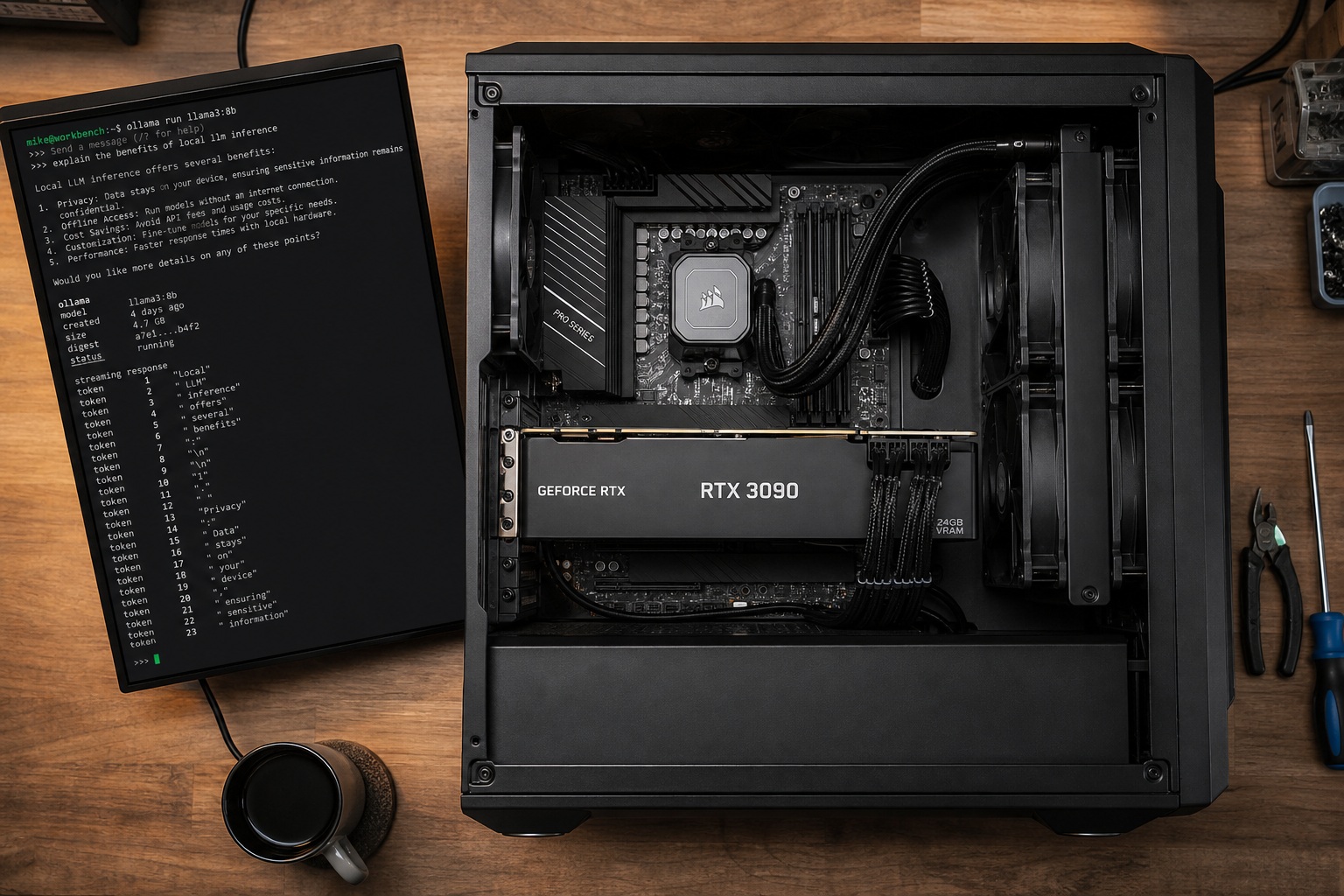
Stop chasing gaming benchmarks for AI work. Building a local AI PC comes down to one spec: GPU VRAM capacity. A used RTX 3090 with 24GB VRAM for ~$700 runs larger models than a brand-new RTX 5080 with 16GB: the gaming hierarchy doesn't apply here. Your move is to buy the most VRAM your budget allows, then build the rest of the system around it.
A local AI PC is a desktop that runs AI models (like Llama, Qwen, or Stable Diffusion) entirely on your own hardware. No API keys, no per-token charges, and your data never leaves your network. Open-weight models are good enough for real work now. This guide is about running (inferencing) these models, not training them from scratch.
Why Build a Local AI PC in 2026
Open-weight models handle daily coding, writing, and image generation. The math is simple: a one-time hardware buy kills recurring subscription costs.
| Option | Cost | What You Get | Ongoing Cost |
|---|---|---|---|
| ChatGPT Plus / Claude Pro | $20/month (~$240/year) | One model, rate-limited, cloud-only | $240/year |
| OpenAI API power user | $50–$200/month | Multiple models, per-token billing | $600–$2,400/year |
| Local AI PC (budget) | $800–$1,200 one-time | Any open-source model, unlimited use | $5–$15/month electricity |
| Local AI PC (enthusiast) | $2,500–$4,000 one-time | Large models, fast inference, full privacy | $10–$20/month electricity |
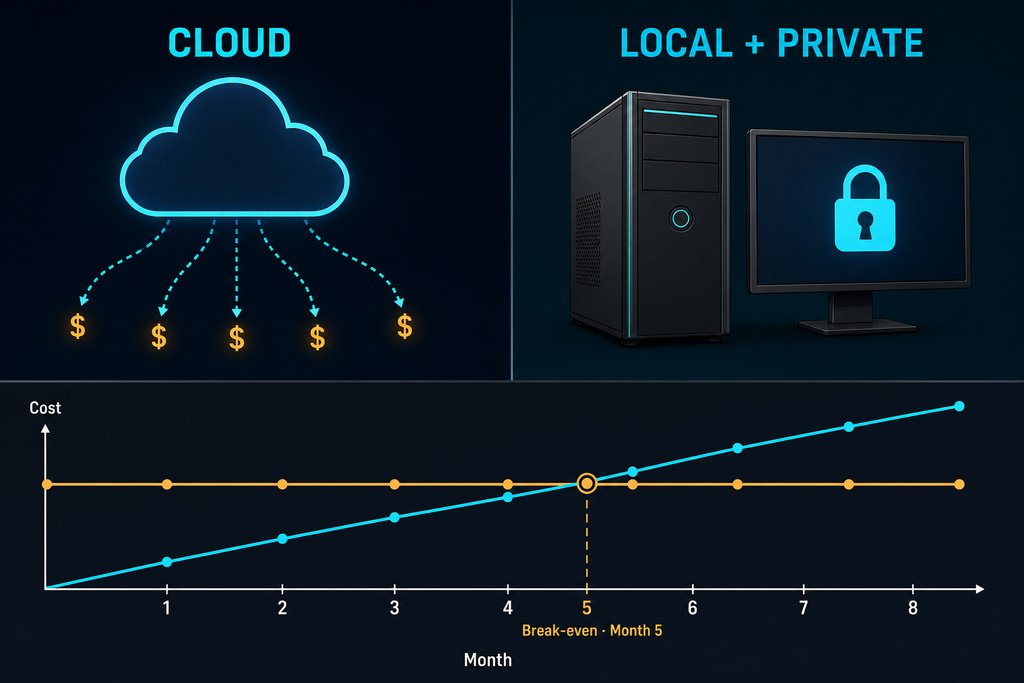
Your data stays on your machine. Sensitive docs, code, and chats never touch the cloud. You can even pull the ethernet cable and keep working. A budget build pays for itself versus ChatGPT Plus in about five months.
The One Rule That Matters: VRAM
VRAM decides if a model flies or crawls. If the entire model fits in your GPU's VRAM, you get fast, interactive speeds: 100 to 200+ tokens per second. If it has to overflow into your system RAM (called CPU offloading), speed drops to 10–20 tok/s. That's usable but feels sluggish for a conversation.
Every local setup uses quantized models. Q4_K_M quantization shrinks a model to about a quarter of its original size with barely any quality loss. It's the standard, not a compromise.
| Model Parameters | VRAM Needed (Q4 quantized) | Minimum GPU | Example Models |
|---|---|---|---|
| 7–8B | 4–6 GB | RTX 3060 12GB or better | Llama 3.1 8B, Mistral 7B |
| 13–14B | 7–10 GB | RTX 3060 12GB or better | Qwen 2.5 14B |
| 30–34B | 18–24 GB | RTX 3090 24GB | Qwen 32B, Yi 34B |
| 70B | 40–48 GB | Dual RTX 3090 or RTX 5090 + offload | Llama 3.3 70B |
| 100B+ | 64 GB+ | Multi-GPU or Mac with 128GB+ unified memory | Mixtral 8x22B |
These numbers are just for the model weights. Context length and other software overhead add more: always leave headroom.
Local AI PC Build Guide
How much should you spend? Sources disagree sharply. CNET's August 2025 premium build totals $4,240, built around a Ryzen 9 9950X3D ($660) and an RTX 5090 ($2,400). A functional alternative from LocalAimaster costs $1,145 — 3.7 times cheaper — pairing a used RTX 3090 with a Ryzen 5 5600. Both run the same open-weight models; the premium build just runs them faster, hitting 213 tokens/second on 8B models with the RTX 5090.
Lukasz Adam (June 2026) takes a different angle entirely, recommending the Mac Mini M4 Pro as his "top recommendation — best all-round pick" over Windows/Linux GPU builds. His argument: unified memory, silent operation, and low power draw matter more than raw tokens-per-second for most users.
The builds below cover each approach — from a ~$1,100 entry point to $5,000+ multi-GPU setups, plus the Mac alternative.
Budget Build (~$1,200): Runs Up to 14B Well
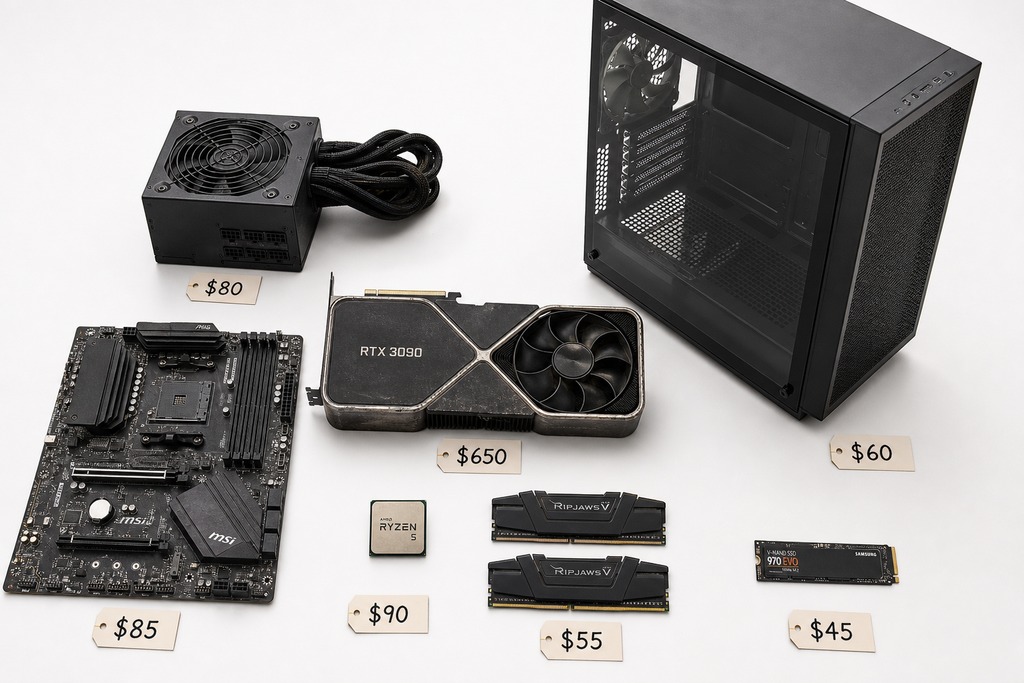
This is your entry ticket. It runs 7B–14B models at full speed and does Stable Diffusion. The used RTX 3090 is the hero here: 24GB of VRAM for ~$700 beats any new card in this price range.
| Component | Recommendation | Est. Price | Notes |
|---|---|---|---|
| GPU | Used RTX 3090 24GB | ~$700 | Best VRAM-per-dollar; check fan noise and memory temps |
| CPU | AMD Ryzen 5 5600 or Intel Core i5-13400F | ~$100–$130 | 6 cores are plenty for inference |
| RAM | 32GB DDR4/DDR5 | ~$55–$80 | Acts as overflow when the model exceeds VRAM |
| Storage | 1–2TB NVMe SSD | ~$60–$100 | Models are big files; fast loading matters |
| Motherboard | B550 (AM4) or B650 (AM5) | ~$80–$120 | AM5 lets you upgrade the CPU later |
| PSU | 850W 80+ Gold | ~$90 | The 3090 can pull 350W sustained |
| Case | Mid-tower with good airflow | ~$50–$80 | The GPU runs hot under constant AI load |
Total: ~$1,145–$1,280
What you can run: Llama 3.1 8B, Mistral 7B, Qwen 2.5 14B at full speed. Stable Diffusion 1.5, SDXL, and basic Flux for image generation. You can load a 32B or 34B model with heavy offloading, but expect 10–20 tok/s. Whisper for transcription works great.
2026 DRAM price warning: RAM prices jumped 90–98% in early 2026 (TrendForce). The prices here are from 2025: check current listings before you buy.
Enthusiast Build (~$3,000): Runs 32B+ Smoothly
This tier runs 30–34B models entirely in VRAM at full speed. You can handle 70B models with some offloading and power serious image generation. You have two GPU paths: one new RTX 5090 (32GB, fastest) or two used RTX 3090s (48GB total, more capacity but more power and complexity).
| Component | Recommendation | Est. Price | Notes |
|---|---|---|---|
| GPU | RTX 5090 32GB (OR (dual used RTX 3090 (48GB total) | ~$1,999) OR) ~$1,400 | 5090: fastest single-GPU; dual 3090: more VRAM, 700W+ draw |
| CPU | AMD Ryzen 9 7950X or Intel Core i7-14700K | ~$350–$400 | More cores help when offloading to CPU |
| RAM | 64GB DDR5 | ~$140–$160 | Rule of thumb: 2× your total VRAM |
| Storage | 2TB NVMe Gen4 SSD | ~$100–$130 | |
| Motherboard | X670E or Z790 | ~$200–$290 | Make sure the PCIe slots have good spacing for two GPUs |
| PSU | 1000W 80+ Gold/Platinum | ~$130–$270 | The RTX 5090 alone can hit 575W |
| Case | Full-size high-airflow | ~$100–$180 | Must fit large GPU dimensions |
Total: ~$3,000–$3,400 (single RTX 5090 build)
What you can run: Qwen 32B, Yi 34B fully in VRAM at full chat speed. Llama 3.3 70B with offloading: it’ll work, but won’t be instant. Flux-dev, SDXL, SD3 at full quality. You can even do some LoRA fine-tuning.
Dual 3090 note: Two used 3090s give you 48GB combined VRAM for ~$1,400: more total capacity than a single $1,999 RTX 5090. They draw 700W+ combined, so you need a beefy PSU and a big case. Not all software handles multi-GPU perfectly, but llama.cpp and vLLM can split the work across cards without special NVLink bridges.
Prosumer / 70B+ Build (~$5,000+)
This is for running 70B+ models straight from VRAM, loading multiple models at once, or serious fine-tuning. Think researchers, developers, and anyone who needs maximum local horsepower.
| Component | Recommendation | Est. Price | Notes |
|---|---|---|---|
| GPU | 2× RTX 5090 32GB (~$4,000) or 4× used RTX 3090 24GB (~$2,800) | $2,800–$4,000 | 64–96GB total VRAM |
| CPU | AMD Threadripper 7000 (7960X) or Ryzen 9 9950X | ~$400–$900 | Threadripper gives you 64 PCIe 5.0 lanes for multi-GPU without bottlenecks |
| RAM | 128GB+ DDR5 | ~$280–$500 | |
| Storage | 4TB NVMe Gen4/5 SSD | ~$200–$400 | |
| Motherboard | TRX50 (Threadripper) or high-end X670E/X870E | ~$290–$500 | |
| PSU | 1200–1600W 80+ Platinum/Titanium | ~$200–$400 | Dual-GPU setups can pull 1000W+ constantly; consider an ATX 3.1 unit |
| Case | Full tower or open frame with massive airflow | ~$100–$200 |
Total: ~$5,000–$8,000+
What you can run: Llama 3.3 70B fully in VRAM at full speed. Big mixture-of-experts models like Mixtral 8x7B. Any open-source image or video model. You can fine-tune medium-to-large models with LoRA and have multiple models loaded at the same time.
The Mac Alternative: When Apple Silicon Wins
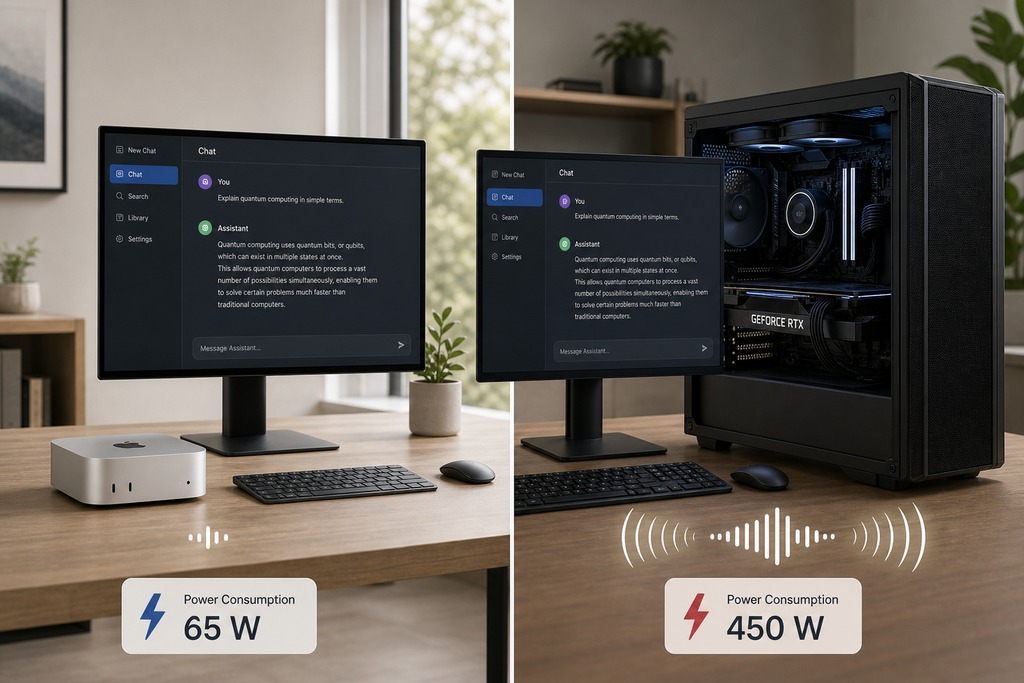
Apple's M-series chips use unified memory: the CPU and GPU share one big pool of RAM. A Mac Mini M4 Pro with 48GB of memory can load a 30B model that would need a $700+ discrete GPU in a PC. The Mac Mini M4 Pro 48GB costs $1,299–$1,999, runs 30B models at 12–18 tok/s, sips only 65W, and is dead silent.
Mac wins when: You need to run 70B+ models and multi-GPC PC setups get too expensive, you value silence and power efficiency, or you don't need fast image generation or training.
Mac loses when: Stable Diffusion and Flux run much slower on Apple silicon than on NVIDIA. You get less token-generation speed per dollar than a well-built NVIDIA PC. You lose the CUDA software ecosystem and have to rely on workarounds like llama.cpp or MLX.
Software Stack: What to Install
Hardware is a paperweight without software. The good news: every major tool is free, open-source, and doesn't need coding. Start with Ollama or LM Studio: they get you from built hardware to running models the fastest.
| Tool | Purpose | Why This One |
|---|---|---|
| Ollama | LLM runner (CLI) | One command to download and run a model; handles GPU detection and offloading for you |
| LM Studio | LLM runner (GUI) | Clean interface for browsing and chatting with local models; great for beginners |
| llama.cpp | Inference engine | The engine under Ollama and LM Studio; runs GGUF quantized models with CPU/GPU splitting |
| ComfyUI | Image generation | Node-based workflow for Stable Diffusion and Flux; the most flexible option |
| Automatic1111 WebUI | Image generation | Simpler interface for Stable Diffusion than ComfyUI |
| Open WebUI | Chat interface | Browser-based ChatGPT-like experience; connects to Ollama |
OS note: Ubuntu Linux gives you the best compatibility. Windows 11 with WSL2 works well for most tools. macOS works with llama.cpp-based tools and MLX.
Component Priority: What Actually Matters
Spending on the wrong parts is the most common mistake. Here's what matters, in order:
- GPU VRAM — the only hard limit; it decides what models you can even load.
- System RAM — lets you offload models that don't fit in VRAM; get 2× your total VRAM.
- Storage speed — a fast NVMe drive loads a 40GB model file in seconds, not minutes. Get 2TB minimum.
- CPU — any modern 6–8 core handles single-GPU inference just fine. Only spend more for heavy preprocessing or multi-GPU setups.
- Power supply — AI loads hammer the GPU at 100% for hours. Don't cheap out.
- Cooling — sustained heat means sustained performance loss. Good case airflow is key.
NPU warning: Newer CPUs advertise NPU specs (like 40–86 TOPS) as an AI feature. As of June 2026, mainstream tools (Ollama, llama.cpp, LM Studio) do not use the NPU for running LLMs. Don't pay extra for a CPU because of its NPU.
Buying Tips and Gotchas
- Used RTX 3090 inspection: Check for fan noise, memory temperatures under load, physical damage, and stability during a long test. Mining cards might have worn fans, but the GPU silicon itself is usually fine.
- VRAM over generation: A 24GB used RTX 3090 runs bigger models than a 16GB new RTX 5080. Always compare VRAM capacity, not GPU generation or gaming reviews.
- DRAM prices spiked 90–98% QoQ in Q1 2026 (TrendForce). The RAM prices here are 2025 numbers — check today's market.
- DDR5 platform strategy: Building on an AM5 DDR5 board lets you upgrade the CPU later without replacing everything. It's worth the extra cost over an older AM4/DDR4 build.
- Plan for expansion: Pick a motherboard, PSU, and case that can fit a second GPU down the road. Dual 3090s is a popular upgrade path.
- Don't buy an 8GB GPU for AI. 12GB is the real floor; 8GB boxes you into only the smallest models with tiny context windows.
- Storage accumulates. A 70B quantized model is about 40–50GB. Image checkpoints are several gigs each. Start with 2TB and plan to add more later.
GPU Value Board: What Your Frames Cost
Here’s the straight answer on launch MSRP: lower cost per 1440p frame is better. It is a price check, not permission to ignore VRAM, features, or the deal actually in your cart.
Updated on July 16, 2026 — July 2026 MSRPs and aggregate Ultra benchmark averages.
Cost-per-Frame Calculator
Use the same resolution, game suite, and settings for both numbers. The board uses MSRP ÷ 1440p average FPS; lower wins. See how we test.
Enter a real price and 1440p average FPS.
Who Should NOT Build a Local AI PC
Light AI users who just ask for a quick email rewrite or recipe idea once a week: ChatGPT Plus at $20/month is cheaper than any build. You'll never break even on the hardware.
Anyone who only wants 7–8B models for casual chatbot use: a $389–$500 mini PC or laptop with 32GB of RAM can run these at 10–20 tok/s. A $1,200+ desktop is overkill.
People who need frontier-model performance (GPT-4-class reasoning, Claude Opus-level analysis): local open-weight models are very good, but not the same as the absolute largest proprietary models. If you need the absolute best reasoning, cloud subscriptions still have the edge.
Users unwilling to troubleshoot. Local AI tools are mature, but they aren't always one-click. Driver conflicts, VRAM allocation errors, and model format mismatches happen. If that's a dealbreaker, stick with cloud services.
FAQ
How much VRAM do I need to run Llama 3.1 8B locally?
A quantized (Q4_K_M) 8B model needs 4–6GB of VRAM. An RTX 3060 12GB handles it easily with room for context and overhead.
Is a used RTX 3090 still worth buying in 2026?
Yes. With 24GB VRAM at ~$700 used, it's the best VRAM-per-dollar you can get. A brand-new RTX 5080 with 16GB costs more and runs smaller models.
Can I run AI models locally without knowing Python?
Yes. Tools like Ollama (one command to download and run any model) and LM Studio (a click-to-download GUI) need zero programming knowledge.
How does a local AI PC compare to ChatGPT Plus?
A budget build (~$1,200) pays for itself versus ChatGPT Plus ($20/month) in about five months. After that, local inference is free except for electricity ($5–$15/month). You also get full privacy and no rate limits.
Should I buy an NVIDIA or AMD GPU for local AI?
NVIDIA. The CUDA software ecosystem backs nearly every AI tool. AMD GPUs can work through ROCm or Vulkan, but compatibility is spotty and setup can be a headache.
Do CPU NPU features matter for local AI?
No. As of June 2026, mainstream AI tools (Ollama, llama.cpp, LM Studio) do not use the NPU for LLM inference. Don't pay extra for a CPU because of its NPU specs.
Sources
See our editorial policy for how sources and updates are handled.